Command Pattern - Part II
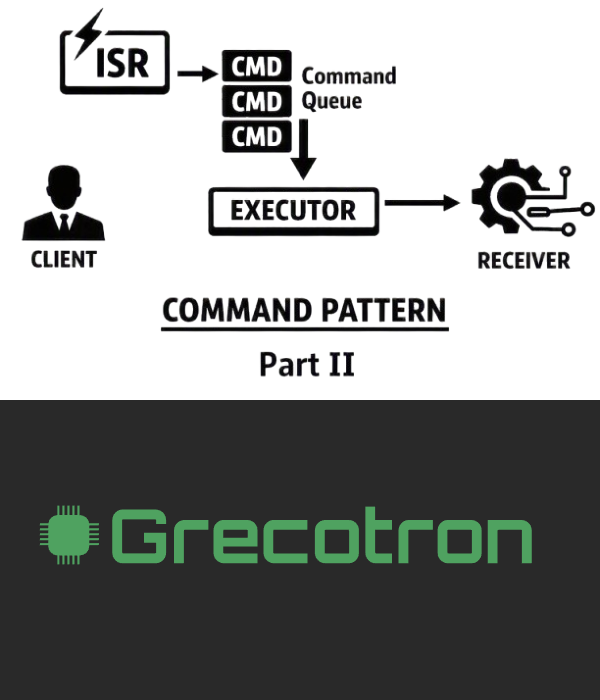
As mentioned in Part I, the command object can be queued and deferred, meaning it doesn’t have to execute immediately when created. This property is especially useful in embedded systems, where commands may originate from interrupts. For example, a keypad interrupt service routine (ISR) can enqueue a command instead of executing it directly, allowing the main loop to dequeue it and process it later.
This approach decouples event detection from action execution, improving responsiveness and system stability. The keypad module simply pushes commands into a queue, while an executor retrieves and runs them when resources are available.
Stateless Command Execution
You probably noticed that the execute() function implementation was stateless. The state is only carried by the command object itself, not by the function. In other words, the function operates purely on the data passed through its self pointer and doesn’t retain any internal variables or history between calls.
This distinction is important because it keeps the command reusable and deterministic. Each command instance encapsulates its own context (for example, the LED ID or GPIO handle), while the execute() function remains a pure operation that simply acts on that context.
Additionally, because the command object’s internal state never changes during execution, there is no need to clone the command object before enqueuing it. A simple reference to the existing command instance is sufficient. Each time the command is dequeued and executed, it will behave deterministically, producing the same effect regardless of how many times it has been enqueued or invoked.
The Executor
We now introduce a new role in the architecture: the executor. If the invoker is responsible for detecting events and enqueuing commands, the executor is responsible for processing those commands at the appropriate time.
In an embedded system, the executor typically runs inside the main loop or a dedicated task. Its job is straightforward: pull the next command from the queue, call its execute() function and move on. Because commands are self-contained, the executor doesn’t need to know anything about their internal structure. It simply treats every command uniformly through the common interface.
The Queue
The queue is simply a Circular Buffer, the same type we explored in a previous article. It stores and retrieves commands in a FIFO manner, ensuring that commands are processed in the exact order they were enqueued.
In this architecture, the queue acts as the bridge between the invoker and the executor. The invoker pushes commands into the buffer whenever an event occurs — often inside an interrupt service routine. The executor later pulls commands out and executes them when the system is ready.
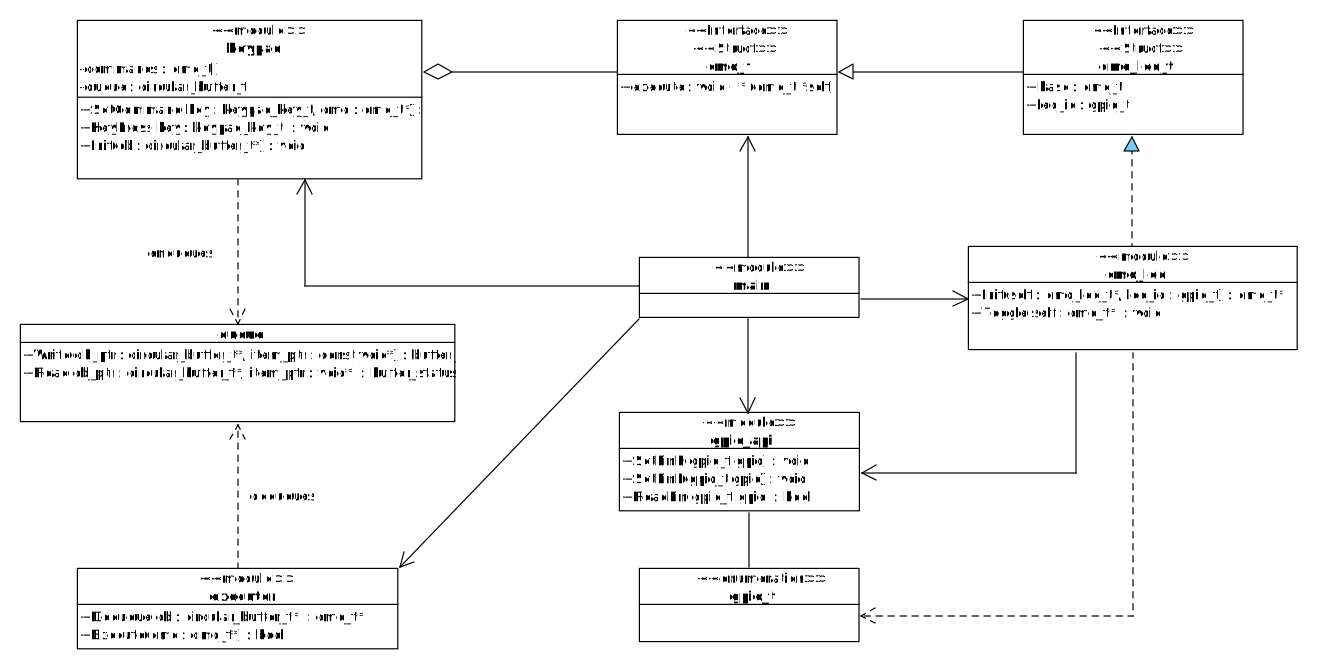
The diagram below depicts the new architecture:
C implementation
Below are the modifications applied to the previous implementation in order to support the new architecture:
executor.h
        #ifndef EXECUTOR_H
        #define EXECUTOR_H
        #include <stdbool.h>
        #include "cmd.h"
        #include "circular_buffer.h"

        bool EXECUTOR_Execute(cmd_t* cmd);
        cmd_t* EXECUTOR_Dequeue(circular_buffer_t* cb);

        #endif
executor.c
        #include "executor.h"

        bool EXECUTOR_Execute(cmd_t* cmd){
            if (cmd != NULL){
                cmd->execute(cmd);
                return false;
            }
            return true;
        }

        cmd_t* EXECUTOR_Dequeue(circular_buffer_t* cb){
            cmd_t *cmd_ptr = NULL;
            if (CIRCULAR_BUFFER_Read(cb, &cmd_ptr) != BUFFER_EMPTY) return cmd_ptr;
            return NULL;
        }
invoker_keypad.h
        #include "cmd.h"
        #include "circular_buffer.h"

        #define KEYPAD_KEYS 4

        typedef enum {
            KEYPAD_KEY_1 = 0,
            KEYPAD_KEY_2,
            KEYPAD_KEY_3,
            KEYPAD_KEY_4
        } keypad_key_t;

        void KEYPAD_Init(circular_buffer_t *cb);
        void KEYPAD_SetCommand(keypad_key_t key, cmd_t* cmd);
        void KEYPAD_KeyPress(keypad_key_t key);
invoker_keypad.c
        #include <assert.h>
        #include "invoker_keypad.h"
        #include "cmd.h"


        static cmd_t* commands[KEYPAD_KEYS];
        static circular_buffer_t *queue = NULL;

        void KEYPAD_Init(circular_buffer_t *cb){
            assert (cb != NULL);

            for (int i = 0; i < KEYPAD_KEYS; i++) {
                commands[i] = NULL;
            }
            queue = cb;
        }

        void KEYPAD_SetCommand(keypad_key_t key, cmd_t* cmd) {
            assert(key < KEYPAD_KEYS);
            commands[key] = cmd;
        }


        void KEYPAD_KeyPress(keypad_key_t key) {
            assert(key < KEYPAD_KEYS);

            cmd_t **cmd = &commands[key];
            if (cmd != NULL) {
                buffer_status_t cb_status = CIRCULAR_BUFFER_Write(queue, cmd);
                assert(cb_status == BUFFER_OK);
            }
        }
main.c (client)
        #include "cmd_led.h"
        #include "executor.h"
        #include "invoker_keypad.h"
        #include "circular_buffer.h"

        int main(void) {
            //Stack-allocated command objects
            cmd_led_t g_cmd_led1;
            cmd_led_t g_cmd_led2;

            // Array of pointers to cmd_t
            cmd_t *cmd_ptr_array[10];
            circular_buffer_t command_buffer;

            CIRCULAR_BUFFER_Init(&command_buffer, cmd_ptr_array, sizeof(cmd_ptr_array)/sizeof(cmd_ptr_array[0]), sizeof(cmd_ptr_array[0]));
            KEYPAD_Init(&command_buffer);

            KEYPAD_SetCommand(KEYPAD_KEY_1, CMD_LED_Init(&g_cmd_led1, GPIO_LED1));
            KEYPAD_SetCommand(KEYPAD_KEY_2, CMD_LED_Init(&g_cmd_led2, GPIO_LED2));
            KEYPAD_KeyPress(KEYPAD_KEY_1);
            KEYPAD_KeyPress(KEYPAD_KEY_2);
            KEYPAD_KeyPress(KEYPAD_KEY_2);
            KEYPAD_KeyPress(KEYPAD_KEY_1);

            while (!EXECUTOR_Execute(EXECUTOR_Dequeue(&command_buffer)));

        }
Output:
Setting pin LED1_PIN HIGH
Setting pin LED2_PIN HIGH
Setting pin LED2_PIN LOW
Setting pin LED1_PIN LOW
Continue reading in Part III